
Our commitment to security
Your data is hosted in the EU
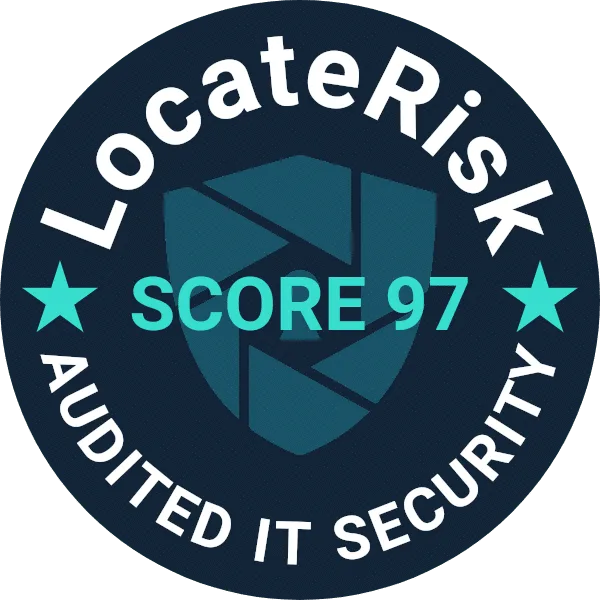
Our clients entrust us with sensitive company data, so IT security and data protection have been a priority from the start. TreasuryView is audited by LocateRisk.
Software trusted by finance and treasury teams

How secure is TreasuryView?
To protect your data, we use the following measures:
-
Regular security tests
We run security tests across our application quarterly, not only yearly.
-
Hosting in Western Europe
Your data is stored in an ISO 27001-certified data center in Western Europe and managed according to German and EU data protection regulations.
-
Independent IT security audit
Audited by LocateRisk on 10 December 2024. Result: 97.15 out of 100 (industry average according to LocateRisk: 67.09).
-
External data protection officer
We have appointed an external data protection officer to oversee and improve our data protection procedures.
-
Two-factor sign-in
Users can protect their account with an authenticator app and recovery codes. The organization owner can require two-factor sign-in for all users and decide how long a trusted device may skip the code.
-
Flexible, secure sign-in
Sign in with a passkey, an e-mail code, or your Google, Microsoft or LinkedIn account. A passkey already counts as two-factor.
FAQ: questions about TreasuryView security
Is there customer support available for questions about security or anything else?
Yes. TreasuryView offers customer support for all users, including help with questions, features or security concerns. You can book a call with an expert in a few clicks or reach out through your preferred channel.
Support options include:
- 1-on-1 expert calls on request
- Multiple contact methods available
- Help with onboarding, features and security
Visit the support page to connect.
Is my data secure?
Data security is a priority for us. Your information is stored in an ISO 27001-certified data center in Western Europe and is managed in accordance with German and EU data protection regulations. We have appointed an external data protection officer to oversee and improve our data protection practices. IT security was audited by LocateRisk on 10 December 2024. Result: 97.15 out of 100 (industry average according to LocateRisk: 67.09).
Do I need to involve my IT team to set TreasuryView up securely?
You do not need your IT team to get started: TreasuryView is ready to use out of the box. The platform is cloud-based with built-in security, so finance teams can get started without technical help. If you choose to enable SSO, your IT team or webmaster can assist.
Setup highlights:
- No IT setup needed to start
- Optional SSO setup if desired; two-factor sign-in can be switched on by your organization owner
- Expert support available if questions arise
Who are TreasuryView's subprocessors?
TreasuryView works with subprocessors for hosting, communication and data services. SendGrid sends transactional e-mails such as account setup and password resets. Market data is sourced via Infront, Derivox and the European Central Bank (ECB).
Current subprocessors include:
- SendGrid: e-mail communication (for example account setup)
- Infront, Derivox and ECB: financial and market data providers
See also our partner page.
Where can I find the TreasuryView privacy policy and terms of service?
- TreasuryView Privacy Policy
- TreasuryView Terms and Conditions
Let us know if you have any questions.
What are the main security features of TreasuryView?
TreasuryView offers security features designed for finance teams handling sensitive data.
Main security features include:
- Audit trail of users and transactions
- Data residency in the EU for compliance and privacy
- Dedicated cloud tenant and admin controls
- Two-factor authentication (2FA) with an authenticator app, which the organization owner can require for all users
- Sign-in with a passkey, an e-mail code, or a Google, Microsoft or LinkedIn account
- Single sign-on (SSO) with your company's identity provider (ENTERPRISE plan only)
Does TreasuryView support two-factor authentication (2FA)?
Yes. Every user can set up an authenticator app (for example Microsoft Authenticator or Google Authenticator) and receives one-time recovery codes in case the app is lost. The organization owner can require two-factor sign-in for all users, choose how long a trusted device skips the code (not at all, or 1, 7 or 30 days) and reset a colleague's authenticator if needed. Users who sign in with a passkey are not asked for a second code, because a passkey already counts as two-factor.
Key points:
- Authenticator app plus recovery codes
- Can be required for the whole organization
- Passkey sign-in counts as two-factor
Does TreasuryView offer audit trails for compliance?
Yes. User actions and data changes are recorded, covering transactions, portfolios and business units, so finance teams and auditors can trace activity.
What happens if TreasuryView is unavailable?
If TreasuryView is temporarily unavailable, users temporarily lose access. Application access and data storage are separated by design, which is intended to protect your data during maintenance or outages. The TreasuryView team is automatically alerted and starts remediation; access is typically restored within hours.
Key safeguards:
- Immutable, multi-location data backups
- Continuous monitoring and recovery response
Do we lose our data if we cancel the TreasuryView subscription?
No. You have 14 days after cancellation to export your data. You can export your complete portfolio from the platform in Excel format. Your data remains yours.
Key points:
- You keep ownership of your data
- Excel export before or after cancellation (within 14 days)
- Data handled in line with GDPR
Is our data protected against cyberattacks?
TreasuryView uses layered security, continuous monitoring and independent audits by LocateRisk. Data is encrypted at rest and in transit, hosted in ISO 27001-certified EU data centers and protected by access controls. No system can offer absolute protection.
Key security measures:
- Independent LocateRisk audit (10 December 2024): 97.15 out of 100
- Encryption at rest and in transit, GDPR-aligned data handling
- Continuous system monitoring
How often is TreasuryView data backed up?
TreasuryView automatically backs up all client data every 24 hours. In the event of a system failure, the maximum potential data loss is therefore limited to the most recent 24 hours. Backups are encrypted, stored in multiple EU data centers and tested for integrity.
Key points:
- Daily automated backups
- Encrypted, multi-location data storage
- Recovery procedures for business continuity
Who can access our financial data in TreasuryView?
By default, only you and the users you have explicitly shared access with can view your financial data. Information stays private unless you choose to share it with specific, registered TreasuryView users for collaboration.
Key access controls:
- Private by default, shared only by user permission
- Access limited to authorized, registered users
- No external visibility without explicit approval
Questions about TreasuryView security?
Contact us or schedule a demo call.